


Flipper Zero- Multi-tool Device for Hackers
$120.00
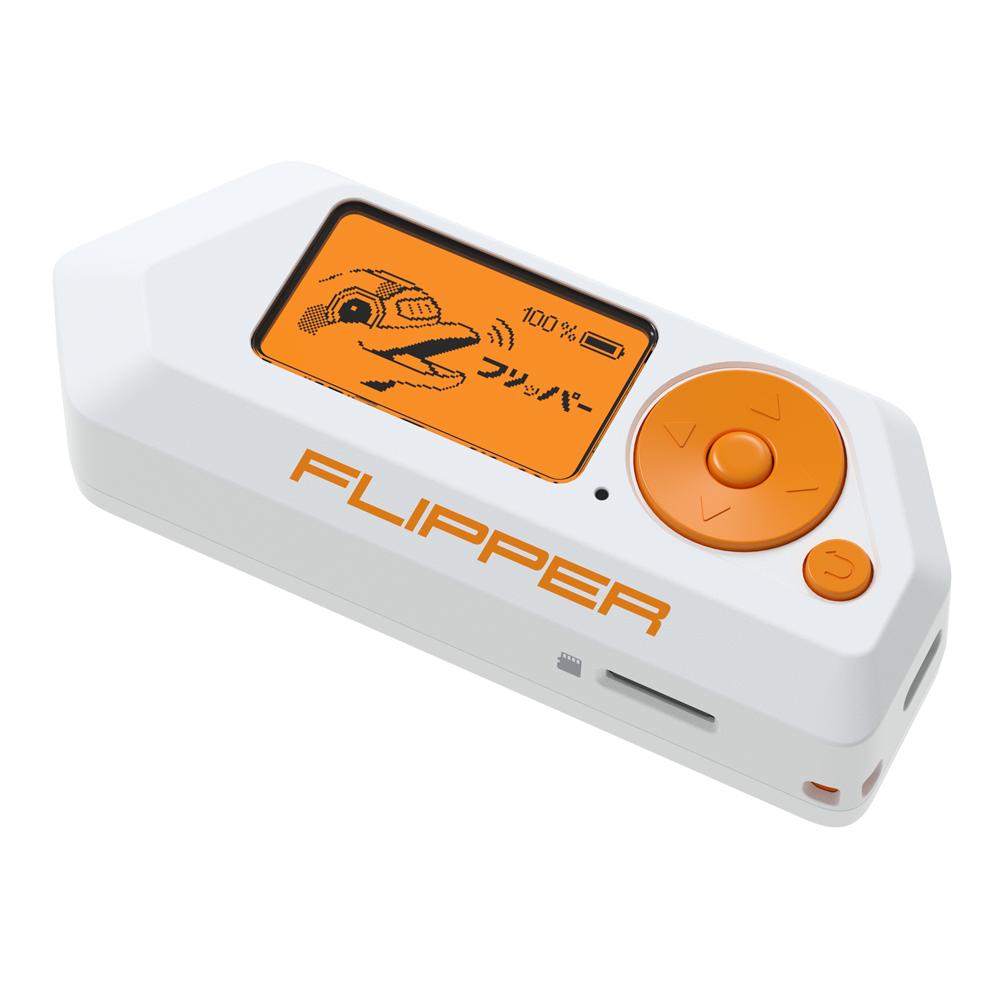
Flipper Zero is a portable multi-tool for engineers and geeks in a toy-like body. It loves researching digital stuff like radio protocols, access control systems, hardware, and more. It’s fully open-source and customizable, so you can extend it in whatever way you like.
Flipper Zero features:
– Sub-GHz Transceiver – Use as a radio remote with many protocols supported
– NFC – Store all your Mifare, NTAG, and other NFC cards and tags
– RFID – Store, emulate, and write your LF RFID keyfobs, office cards, and more
– IR Transceiver – Universal IR remote for your TV and other appliances
– Virtual pet – A cute dolphin with personality accompanies your every action
– Open Source Firmware – Code your own apps and plugins
– Bluetooth LE – Extend capabilities with Flipper Mobile Apps
– U2F Security Token – Securely authenticate everywhere with your Flipper via FIDO
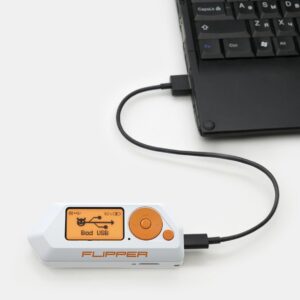
– BadUSB – Run any keyboard-emulation scripts
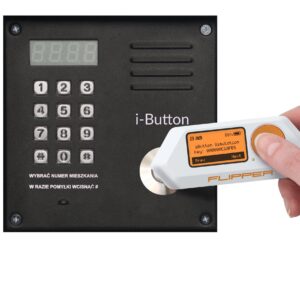
– iButton – Store all your Dallas, Cyfral, and Metakom keys
WHAT IS FLIPPER ZERO
Flipper Zero is a portable multi-tool for pentesters and hardware geeks in a toy-like body. It loves to explore the digital world around: radio protocols, access control systems, hardware, and more. The main idea behind the Flipper Zero is to combine all the research & penetration hardware tools that you could need on the go in a single case. Out of the box, Flipper is filled with features and skills, but also It’s open-source and customizable, so you can extend its functionality in whatever way you like, along with the community.
Flipper is made by makers who got tired of all these rough PCBs and bulky external modules. We want to make a versatile and beautiful platform for prototyping, hardware research, and pentest of any kind.
Technical Specification
Flipper Zero is completely autonomous — it has a beefy battery, a handy 5-position directional pad, and a display. All the main functions and scripts are available from Flipper’s menu, no computer or smartphone required.
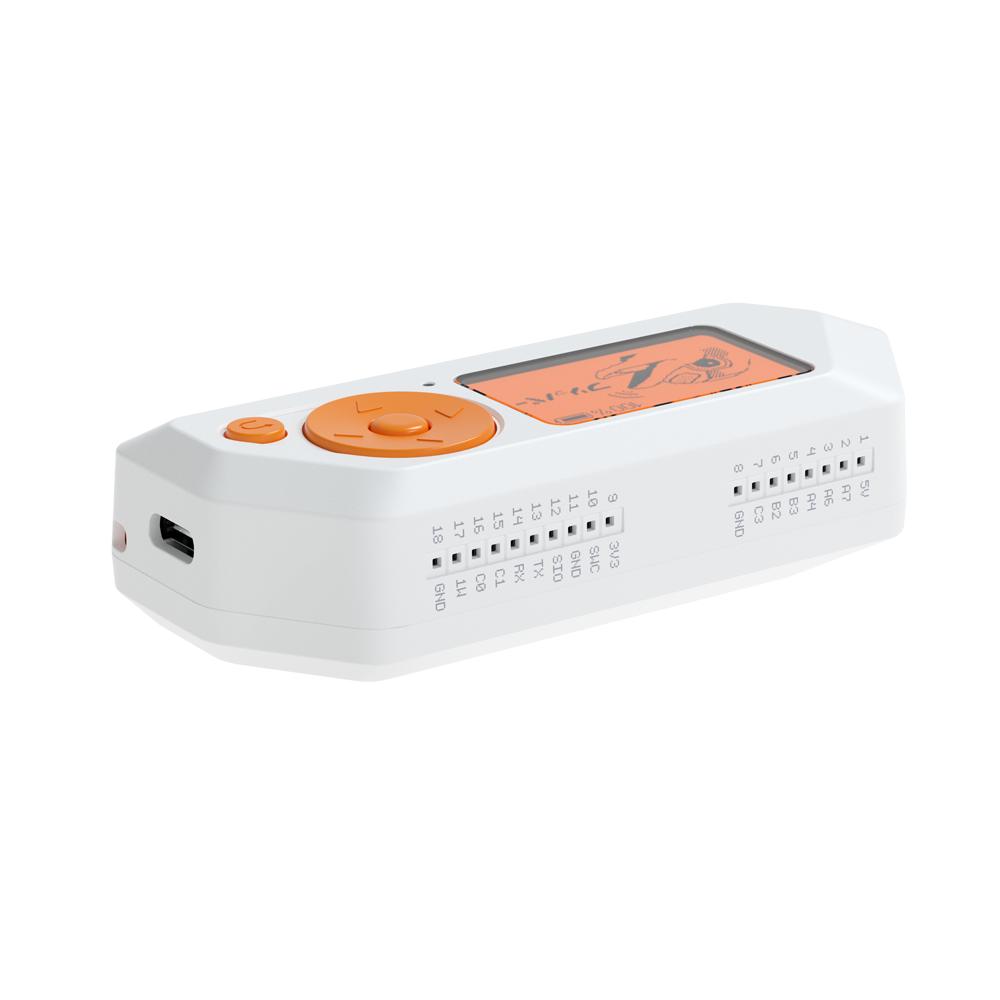
For more control, Flipper is equipped with the USB Type-C port for upgrading the firmware, deploying virtual serial port, and emulating HID input device. We have also decided to build in a cool old-school LCD screen, and not fancy TFT / IPS / OLED because it’s perfectly visible in sunlight and has an ultra-low 400nA power consumption with the backlight turned off. This allows Flipper Zero to be always on and ready with more than 7 days of battery life.
To communicate with the real world systems, Flipper Zero has a built-in radio module based on TI CC1101 chip. It supports both transmitting and receiving digital signals within the 300-928 MHz frequency range. This is the operating range for a wide class of devices and access control systems such as garage doors remotes, boom barriers, IoT sensors, and remote keyless systems.
Out of the box, Flipper Zero can emulate remotes for popular garage doors and barriers. You can keep hundreds of remotes in Flipper’s memory as well as create a blank remote for the new wireless gate. Just select the right brand of the system in the Flipper menu, register a new key in your garage/barrier receiver, and give it a unique name for easy navigation between your remotes.
Customizable radio platform
CC1101 is well known universal transceiver designed for low-power wireless applications. And with a ready-to-use open-source library, developers can interact with the radio subsystem without limitations. You can write any wireless application, like custom protocol or decoder, as well as use it for connecting with IoT devices and access systems.
Signal Analyzer
Flipper Zero has an integrated decoder for popular remote control algorithms such as Keeloq and others, so you can analyze an unknown radio system to figure out the protocol under the hood.
Furthermore, Flipper can record the samples of radio signals to analyze it later with more sophisticated tools on the computer, as well as replay the saved samples. Many remotes and IoT devices such as doorbells, sensors, and radio sockets don’t use any encryption at all — in this case, Flipper can replay the signal, even if the protocol wasn’t recognized.
Low-frequency proximity cards are widely used in access control systems around the world. It’s pretty dumb, keeps only a short few-byte ID, and has no authentication mechanism, allowing it to be easily read, cloned, and emulated by anyone. A 125 kHz antenna is located on the bottom of Flipper’s body — it can read the EM-4100 and HID Prox cards, save them to the memory and emulate any of the saved cards by choosing one from the menu.
You can also emulate the card by entering its ID manually, so you can easily send it to your friend in a text format. Thus, Flipper owners can exchange card dumps with each other remotely without ever touching a physical card.
iButton contact keys
Flipper Zero has a built-in 1-Wire pad to read iButton (DS1990A) keys, also known as TouchMemory or Dallas keys. This technology is quite old but still widely used around the world. It’s based on 1-Wire protocol and doesn’t have any authentication, so Flipper can easily read these keys, save IDs into the memory, write IDs to blank keys, and emulate the key itself.
Related products

Hardwares
Hardwares


Hardwares

Hardwares

Hardwares
Hardwares
Hardwares